
When Connecticut businesses upgrade their office network, one question comes up almost every time — do we need a managed or unmanaged network switch? Most business owners have never had to think about it before, and the people selling them equipment aren’t always giving them a straight answer.
The wrong choice in either direction costs you money. Buying a managed switch when you don’t need one means paying for complexity you’ll never use. Buying an unmanaged switch when your network actually needs management means performance problems, security gaps, and a call to a technician that could have been avoided.
Teleworks has been designing and installing business networks for Connecticut companies for decades. Here’s a plain-English breakdown of the difference — and how to know which one your office actually needs.
What a Network Switch Actually Does
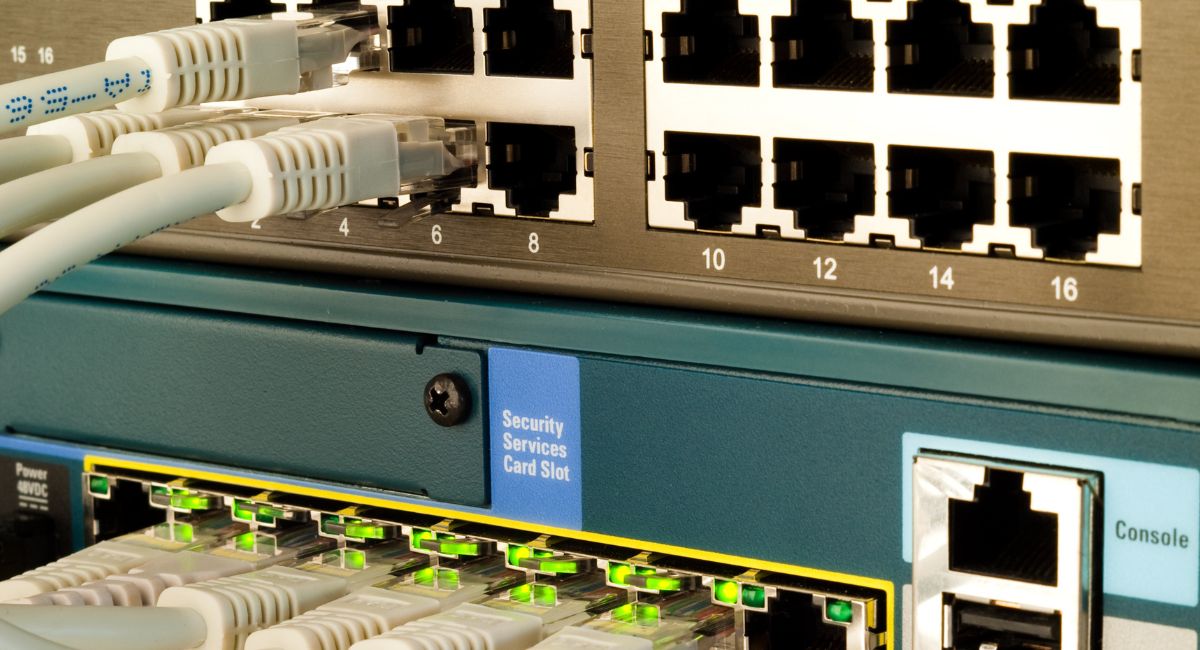
A network switch is the device that connects all the wired devices in your office — computers, phones, printers, access points, cameras — and allows them to communicate with each other and with the internet. Every device plugged into your network passes through a switch, which has an enormous impact on how your network performs day to day.
Most businesses have one switch in a small network closet or server room. Larger offices may have a core switch that connects to smaller distribution switches on each floor. Either way, the switch is the center of your wired network — and the decisions made about that switch affect every device, every call, and every file transfer happening in your building.
It’s one of the most overlooked pieces of infrastructure in a Connecticut office. Businesses spend time choosing the right internet provider, the right phone system, and the right computers — and then buy whatever switch is cheapest without realizing it sits between all of those investments and the network they depend on.
What Is an Unmanaged Switch?
An unmanaged switch is plug-and-play. You connect it, plug devices in, and it works — automatically, without any configuration required. There are no settings to adjust and no interface to log into.
For small offices with simple network needs, an unmanaged switch is often exactly the right tool. It’s less expensive, requires no technical expertise, and, in straightforward environments, performs reliably without any intervention.
The limitation is that it treats all network traffic equally. It cannot prioritize certain types of traffic, segment devices into separate groups, or give you any visibility into what’s happening on your network.
What Is a Managed Switch?
A managed switch gives you — or your technology partner — control over how the switch operates. The key capabilities it adds include:
- VLANs — segmenting your network so guest WiFi, VoIP phones, cameras, and staff computers are isolated from each other even on the same physical switch
- Quality of Service (quality of service) — prioritizing VoIP calls over file downloads so calls never drop when the network gets busy
- Port monitoring — visibility into exactly what’s happening on your network for troubleshooting and security
- Remote management — making changes and diagnosing problems without physically accessing the switch
Which One Does Your Connecticut Business Actually Need?
You Probably Need an Unmanaged Switch If:
- You have a small office with fewer than 10 devices.
- Nobody on your network runs VoIP phones or video conferencing.
- You have no guest WiFi that needs to be separated from your internal network.
- You have no compliance requirements around network segmentation.
You Probably Need a Managed Switch If:
- You run VoIP phones on the same network as your computers.
- You have guest WiFi that needs to be isolated from your internal systems.
- You have security cameras on the same network as staff devices.
- You have more than 20 devices across your office.
- You work in healthcare, legal, or financial services with compliance requirements.
- You’ve had intermittent network performance issues nobody can diagnose
According to Cisco, VLANs and quality of service are among the most impactful tools for improving network performance and security in business environments.¹ For any Connecticut office running a mix of devices and applications, these aren’t luxury features — they’re the difference between a network that works consistently and one that doesn’t.
The VoIP Problem With Unmanaged Switches
VoIP phone calls are extremely sensitive to network latency and packet loss. When a network gets congested, an unmanaged switch cannot prioritize call traffic over other traffic. The result is choppy audio, dropped calls, and echo — even when your internet connection is fast.
This is one of the most common problems we diagnose in Connecticut offices. Business owners have often been living with the issue for months, assuming it’s their internet provider’s fault, before a network assessment reveals the real cause. A managed switch with quality of service configured correctly fixes it immediately — without changing your internet service or your phones.²
The Security Problem With Unmanaged Switches
On an unmanaged switch, every device on your network can see every other device. Guest WiFi users sit on the same segment as your internal file server. Security cameras with outdated firmware can potentially reach staff computers. A printer in the lobby has access to the same network as your accounting software.
A managed switch with VLANs places each category of device in its own isolated segment — a basic network hygiene practice for any business running multiple device types. For Connecticut businesses in healthcare, legal, or financial services, this level of segmentation isn’t optional — it’s part of maintaining a defensible security posture under HIPAA, state privacy regulations, and industry compliance standards.
A Real Example From Central Connecticut
A law firm in the Greater Hartford area came to us after months of persistent VoIP call quality issues blamed on their internet connection. They had upgraded their internet service twice in an attempt to fix the problem. Neither upgrade made a difference.
When we assessed their network, the issue was immediately clear. Their unmanaged switch was treating a large document upload from their case management system with the same priority as an active client call. Every time someone transferred a large file, calls on the same network degraded — choppy audio, brief dropouts, occasional disconnections.
We replaced the unmanaged switch with a managed switch and configured quality of service to prioritize VoIP traffic. We set up VLANs to segment their phone system from their general office network. Call quality issues disappeared within the first day. Their internet bill didn’t change by a dollar. The two internet upgrades they had paid for were completely unnecessary — the problem was never the internet.
Frequently Asked Questions
Can I upgrade from an unmanaged to a managed switch without rewiring everything?
Yes. A managed switch connects to your existing structured cabling the same way. The physical installation is identical — the difference is the configuration that happens after.
Do I need IT expertise to run a managed switch?
No. Once configured correctly at installation, a managed switch requires no day-to-day attention. Teleworks handles all configuration and documents everything so any future technician can understand the setup.
How much more does a managed switch cost?
Managed switches cost more than unmanaged — the exact difference depends on port count and feature set. For most Connecticut offices, it’s a one-time investment that quickly pays for itself through avoided troubleshooting costs alone.
Does Teleworks serve businesses outside of Glastonbury?
Yes. We serve businesses throughout Connecticut including Hartford, West Hartford, Farmington, Rocky Hill, Manchester, Newington, and surrounding communities.
The Right Switch Makes Your Whole Network Better
A network switch isn’t a glamorous purchase — but it’s one of the most impactful pieces of infrastructure in your office. Every device, every call, and every file transfer depends on it. The wrong choice creates problems that are genuinely difficult to diagnose without knowing where to look.
Teleworks designs and installs complete network infrastructure for Connecticut businesses — from structured cabling and fiber-optic installation to switches, routers, and business internet services. If you’re not sure whether your current switch is right for your network, we’re happy to take a look.
👉 Contact Teleworks today to schedule a network assessment for your Connecticut business.
Sources
- Cisco, What Is a Network Switch? — cisco.com
- IEEE, 802.1p Quality of Service Standards for Network Traffic Prioritization — ieee.org
- Teleworks Communications, Network Infrastructure Installations Across Connecticut — teleworksct.com